Random list of goals
If no goal is generated, please refresh the page.Goals in JSON format
How to use goals in Bingosync
Goals
On the left of this page, you can find goals that are generated randomly every 3 seconds. As long as your focus is on the page, they are automatically copied to your clipboard in a JSON format. Those goals can be used to create a card in Bingosync.
Check for focus
Create a new board
When creating a new room
- Open Bingosync.
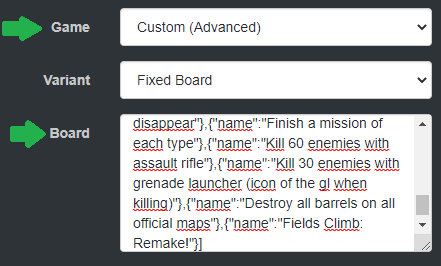
- When creating a new room, choose "Custom (Advanced)" for "Game".
- Paste the goals JSON into "Board".
- Click on "Make Room".
When inside a room
- Click on "New Card".
- Follow steps 2 and 3 described in the "When creating a new room" section.
- Click on "Generate Card".